Findings & reports
Every finding carries proof. Triage by severity, follow the evidence back to the exact command that produced it, and export deliverables your client's auditor will accept.
Reviewing findings
Open Findings to see results across your engagements. Each finding has a severity and a type (DAST, SAST, or SCA). Severities run:
- Critical — exploitable, high-impact. Confirmed, not suspected.
- High — serious weakness needing prompt remediation.
- Medium — meaningful risk in context.
- Low — minor issue or hardening opportunity.
- Info — informational; useful context, not a vulnerability.
SimpleSec only promotes a finding once it's proven during the validation phase — an SQL injection is confirmed by exploiting it, credentials are verified by using them. That keeps the noise and false positives down.
The evidence chain
Every finding ties back to the raw artifacts that produced it. Open one and you can trace:
- The exact command that was run, plus its output.
- The parsed record the finding was built from.
- Captured evidence — credentials, database contents, enumerated tables, and request/response snippets where relevant.
For SCA and SAST findings you also get the structured details: CVE and CVSS, affected package and fixed version for dependencies; file path, line range, rule ID, and CWE for static findings. This chain is what makes a finding defensible under audit instead of just a claim.
Captured passwords and secrets are encrypted at rest and scoped to their engagement. Treat exported evidence with the same care — it can contain live credentials.
The least-privilege audit
When you run an Active Directory engagement with a supplied domain account, the report gains a dedicated least-privilege audit section. Rather than listing what SimpleSec found, it answers a question your auditors keep asking: what could this account actually reach?
It grades the account you handed over — is it over-provisioned for its tier, or is least privilege holding? — and backs the grade with the specific shares, hosts, and rights it reached. That makes it a direct answer to access-review and segmentation controls, not just a pentest artefact.
Alongside it, an AD run reports the credentials discovered during the run (redacted in the report body), the BloodHound result as "N routes to Domain Admin", and any AD CS certificate-template findings.
Exporting reports
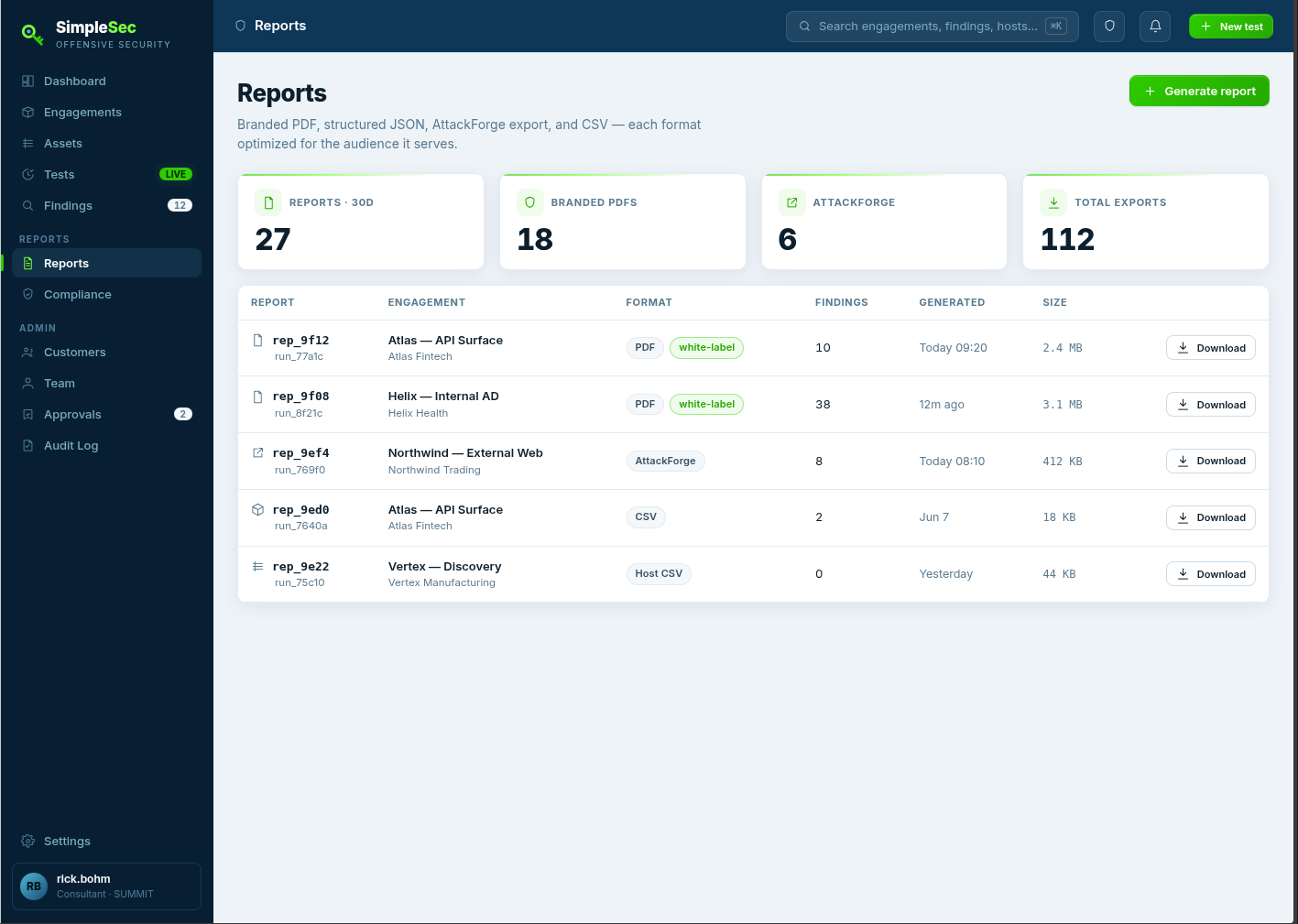
From Reports (or directly from a completed run) you can export:
PDF report
A branded executive summary plus per-finding evidence, reproduction steps, and remediation guidance. Add your logo in Settings for white-labeled client deliverables.
CSV exports
Flat CSVs of findings, captured credentials, and host/inventory data — drop them into your own pipelines or spreadsheets.
AttackForge
Findings exported to AttackForge's schema, mapped with CVSS:3.1 lookups, remediation templates, and attack scenarios.
Email delivery
Run-completion emails can include the PDF, and critical findings can trigger a notification — so results reach you without opening the dashboard.
The compliance archive
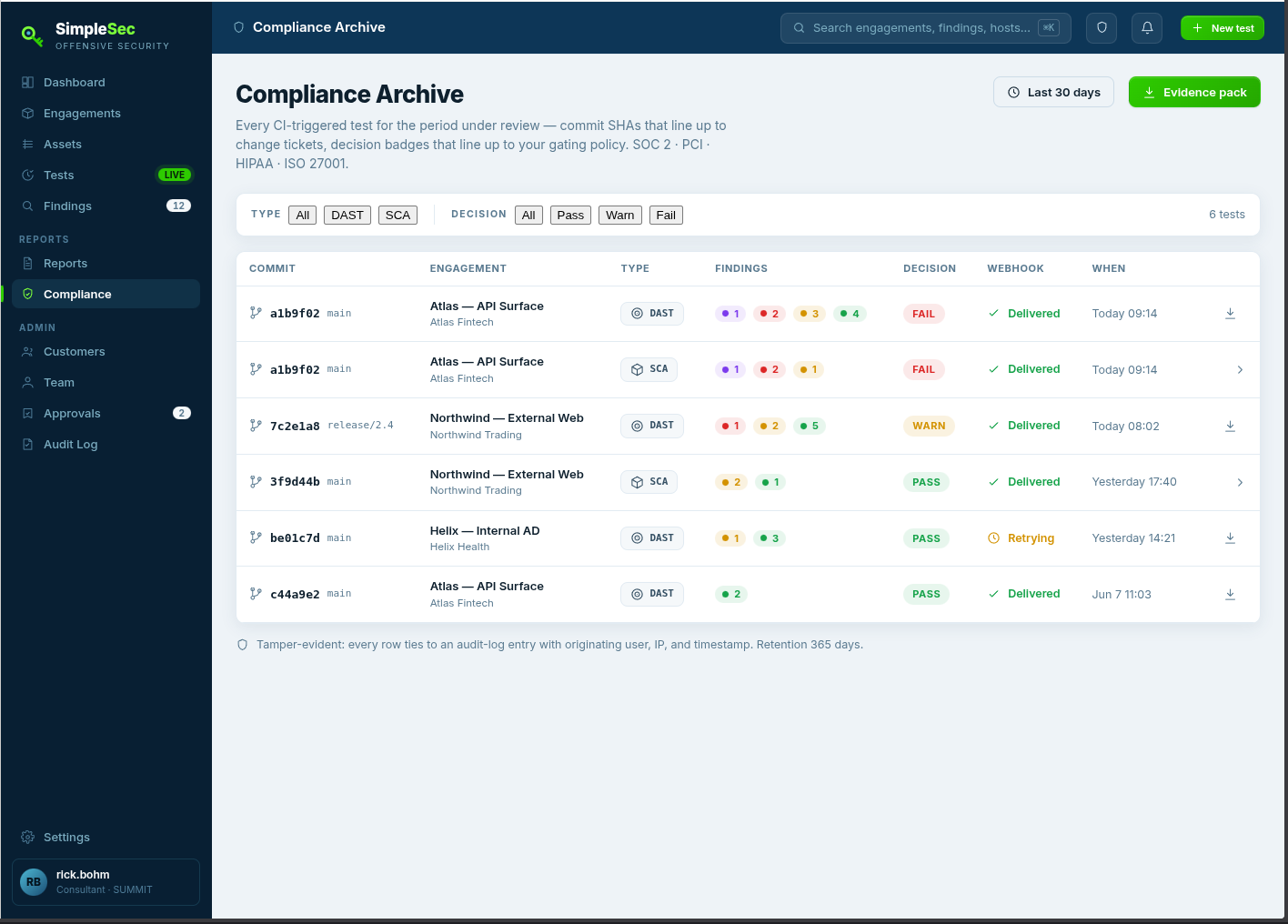
Open Compliance for an immutable record of every test triggered through your pipeline. Each entry captures the commit SHA, severity counts, the pass/warn/fail decision, any linked ticket, and the webhook delivery status. If a webhook delivery failed, you can resend it from here. It's the paper trail that shows testing actually happened, on what, and when.
Next
To get tests running on every release instead of on demand, wire SimpleSec into your pipeline — see CI/CD & API. For internal targets, set up network access first.